Using Forum or Projects
Introduction
This section contains tips on how to best use:
- Forum (http://forum.eionet.europa.eu/)
- Projects (http://projects.eionet.europa.eu/)
How to…
Create a folder
First, read http://forum.eionet.europa.eu/help/content_folder … Then…
Go the library folder
Next to the Submit: label, select
Folderin the droplist.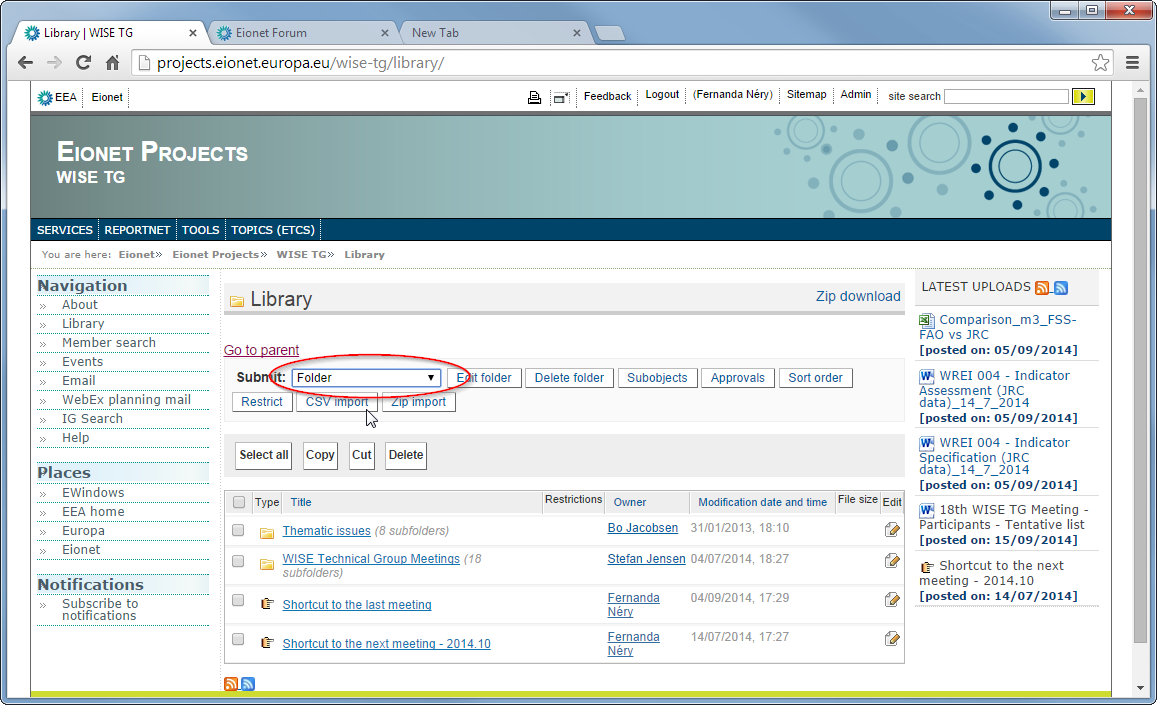
Enter the folder’s
TitleandDescription, then pressSubmit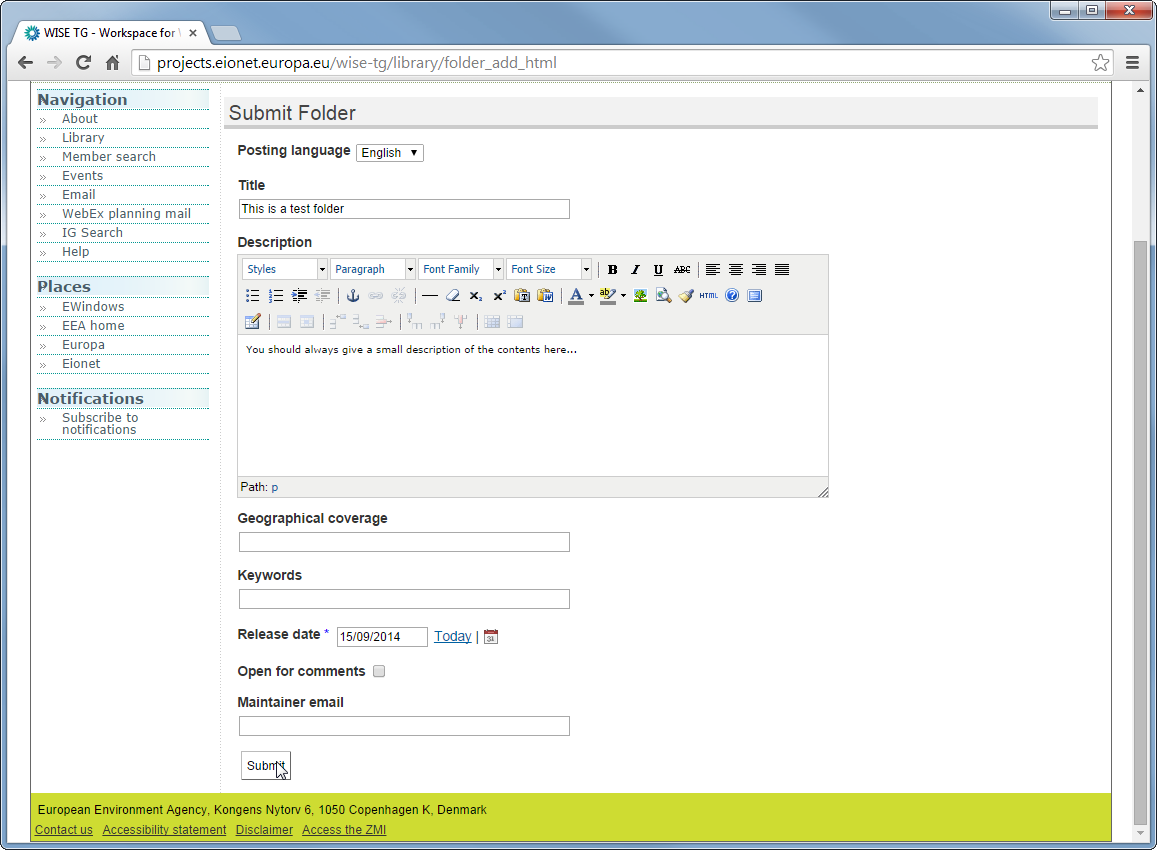
Notice the browser’s tab title and the URL:

You can now edit the
TitleandDescription, if you want: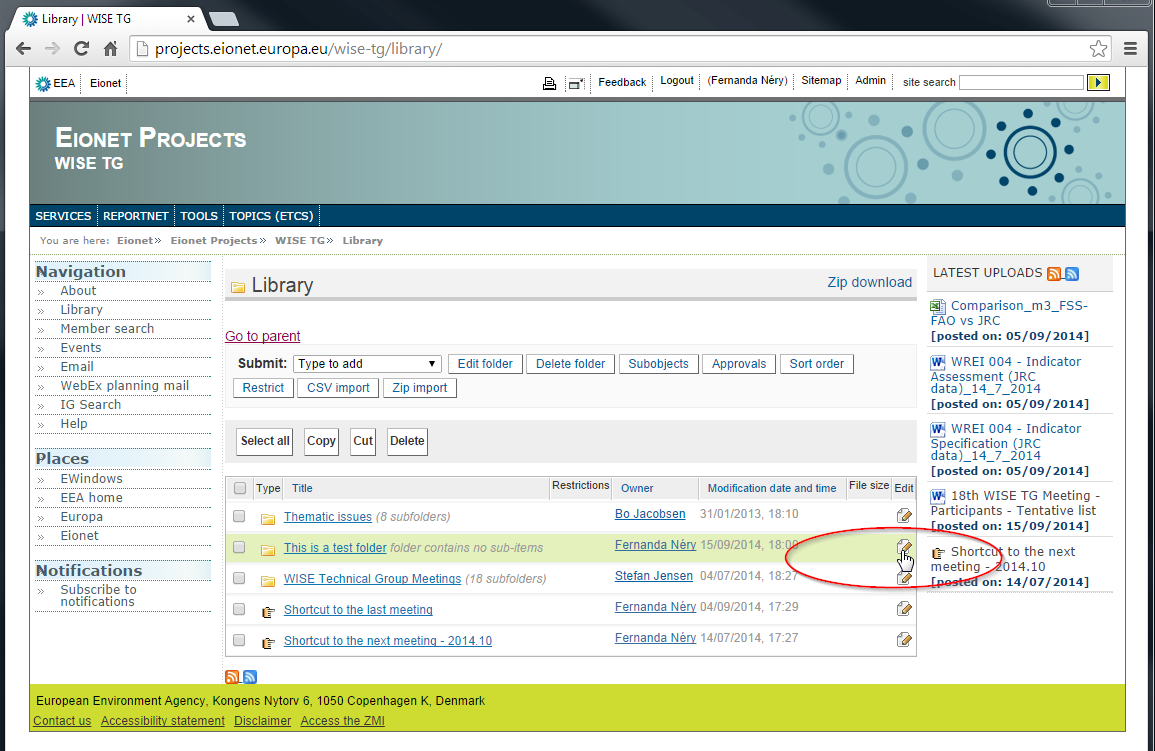
…and change the title and description.
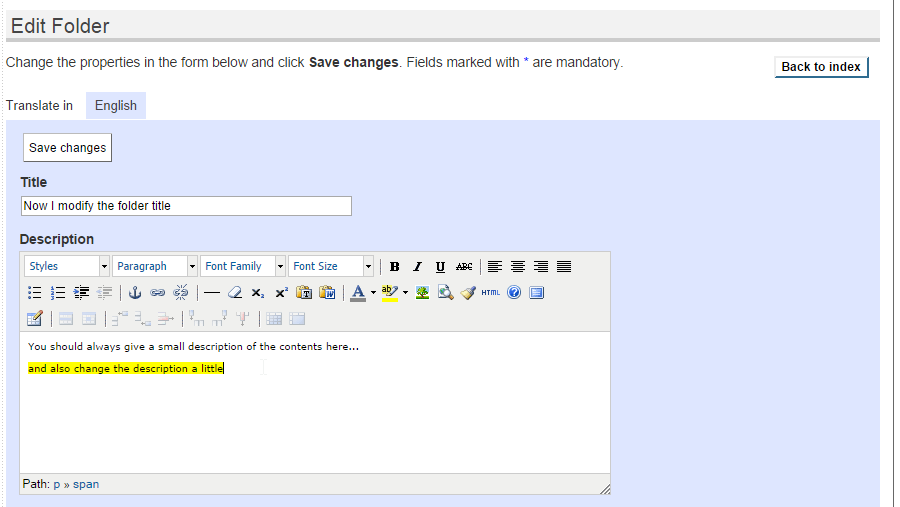
Notice that the browser’s tab title changed, but the URL is stable:

Upload a file (and keep older versions)
First, read http://forum.eionet.europa.eu/help/content_file … Then…
Go the library folder
Next to the Submit: label, select
Filein the droplist.Enter the file’s
Title, theDescriptionand pressChoose fileto select a file in your computer. Then pressSubmit.Notice that the
Titleneed not be the name of the file: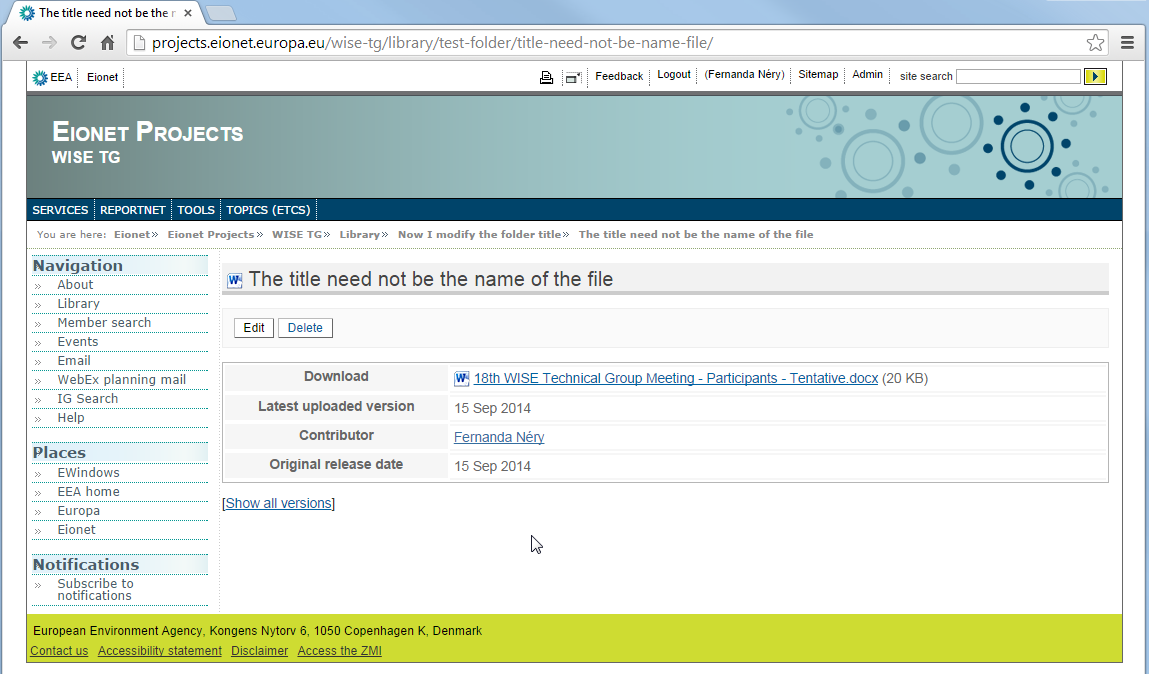
Also, notice the URL that s automatically created:

You can press
Editand choose another file, if you made a mistake or want to add an updated version of the file: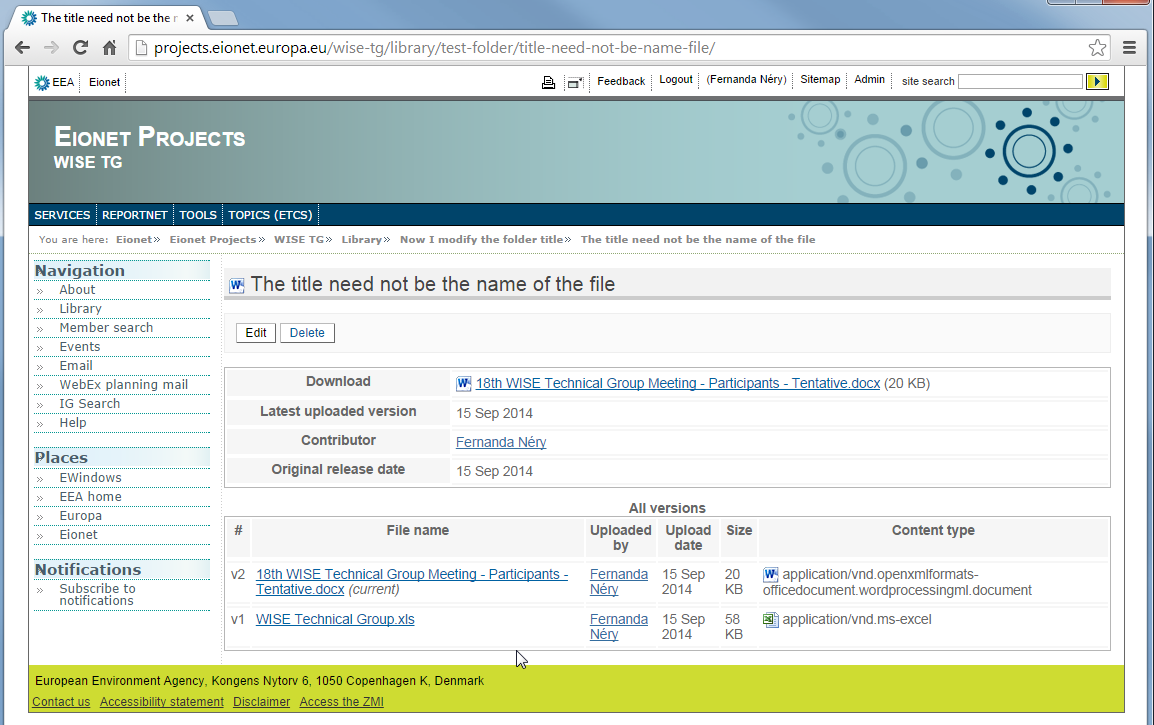
And
Editagain (notice the two previous versions):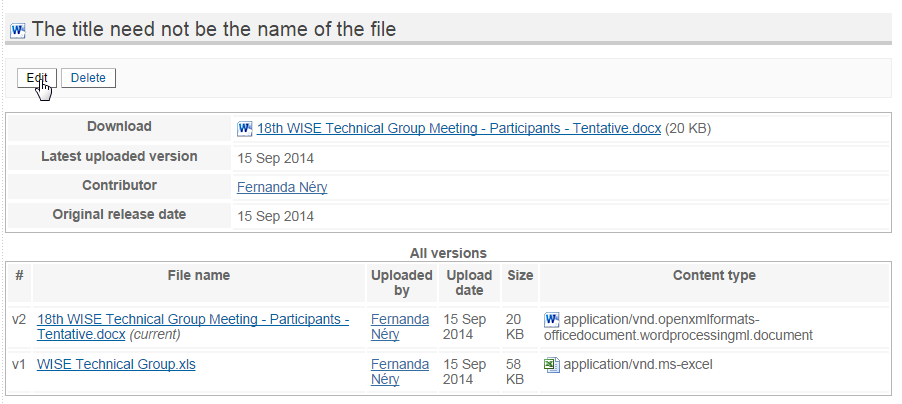
Now I modified the
Titleand added yet another version of the document…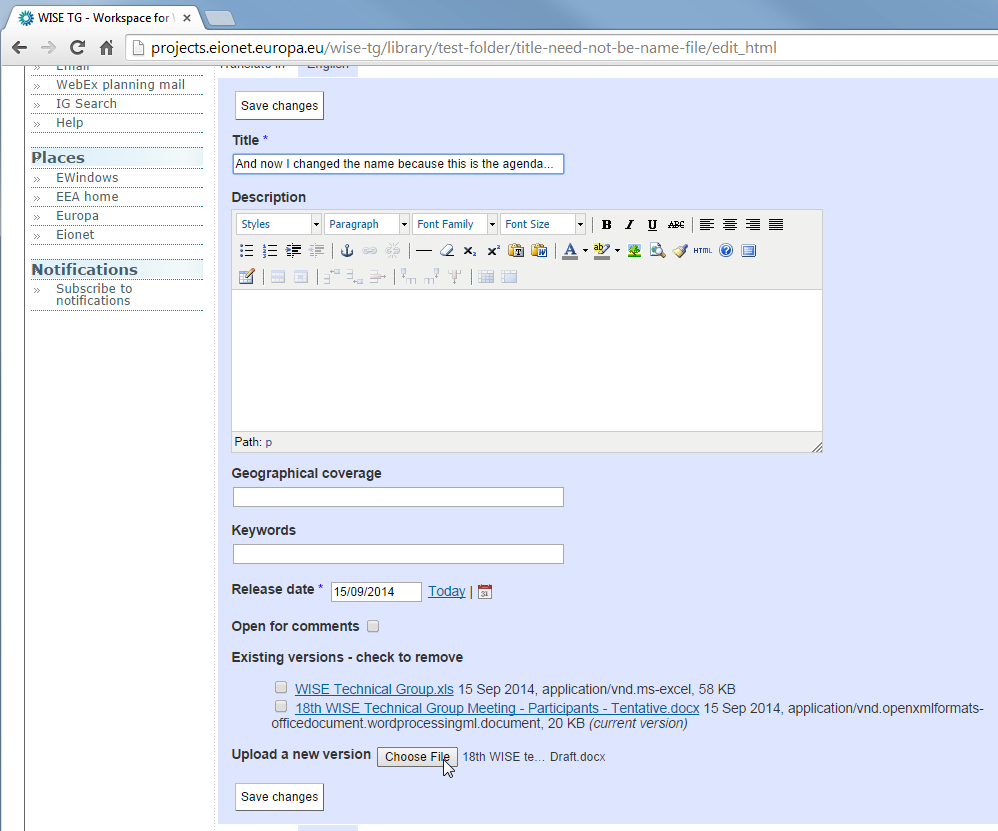
Notice that the URL is always kept stable:
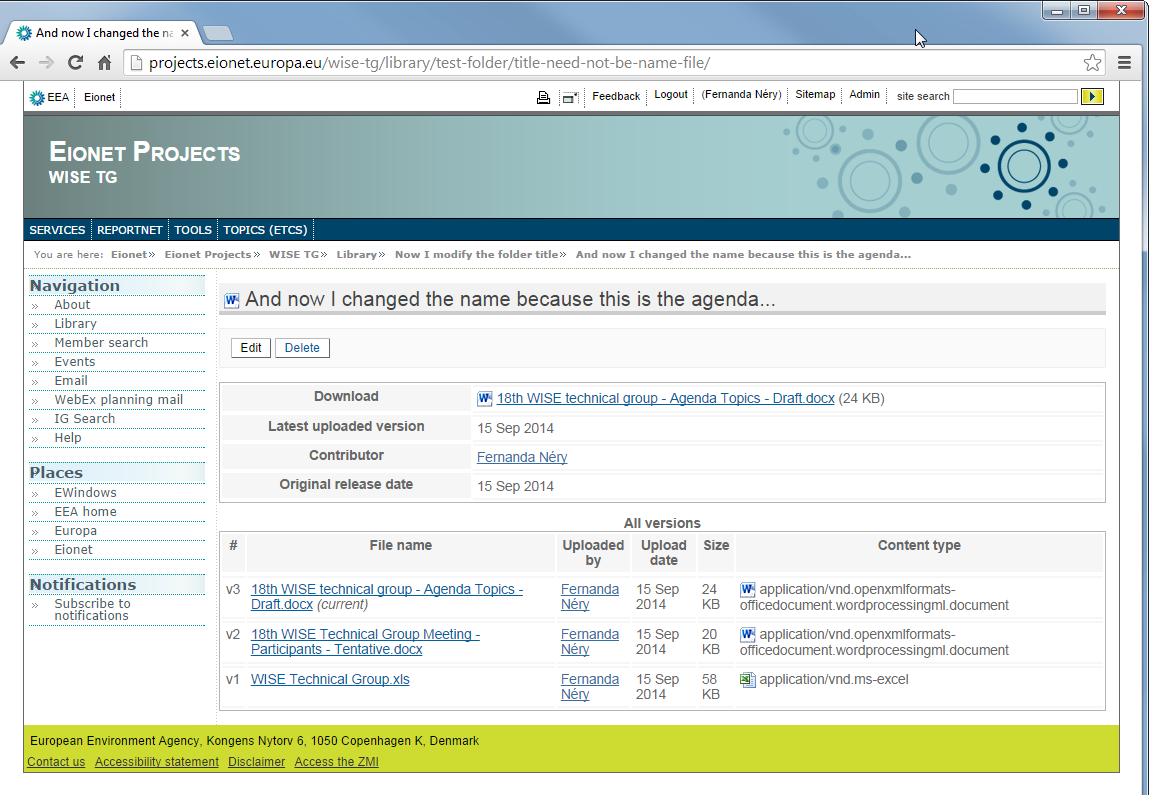
To remove a previous version
Press
Editto edit to file.Mark the versions you want to remove:
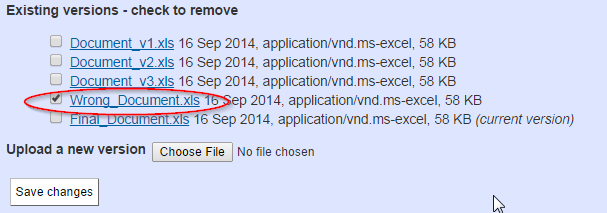
Press
Save changes.The wrong document is gone…
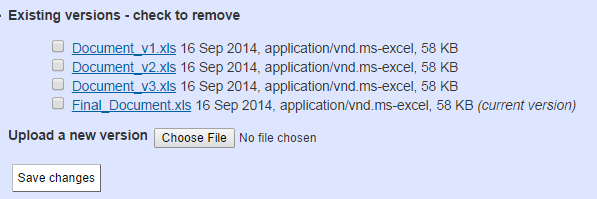
See the previous versions of a file
Just press
Show all versions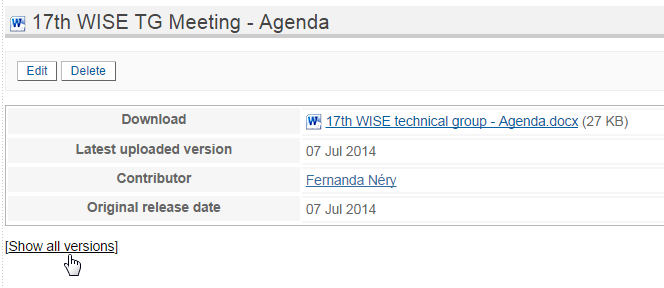
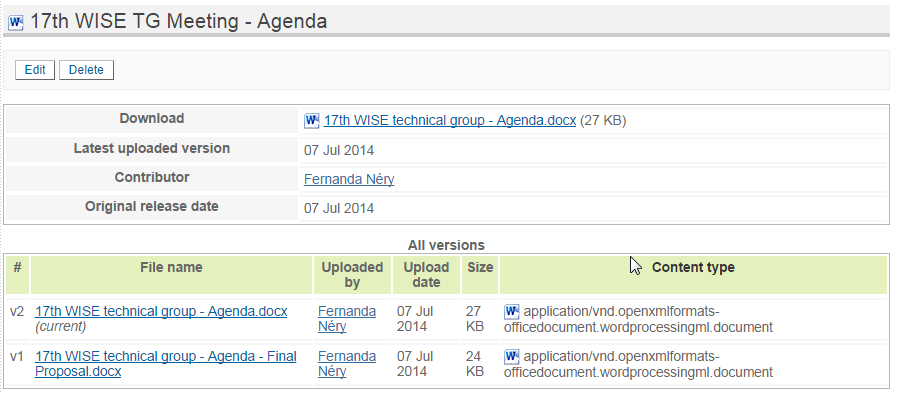
and there it is: